
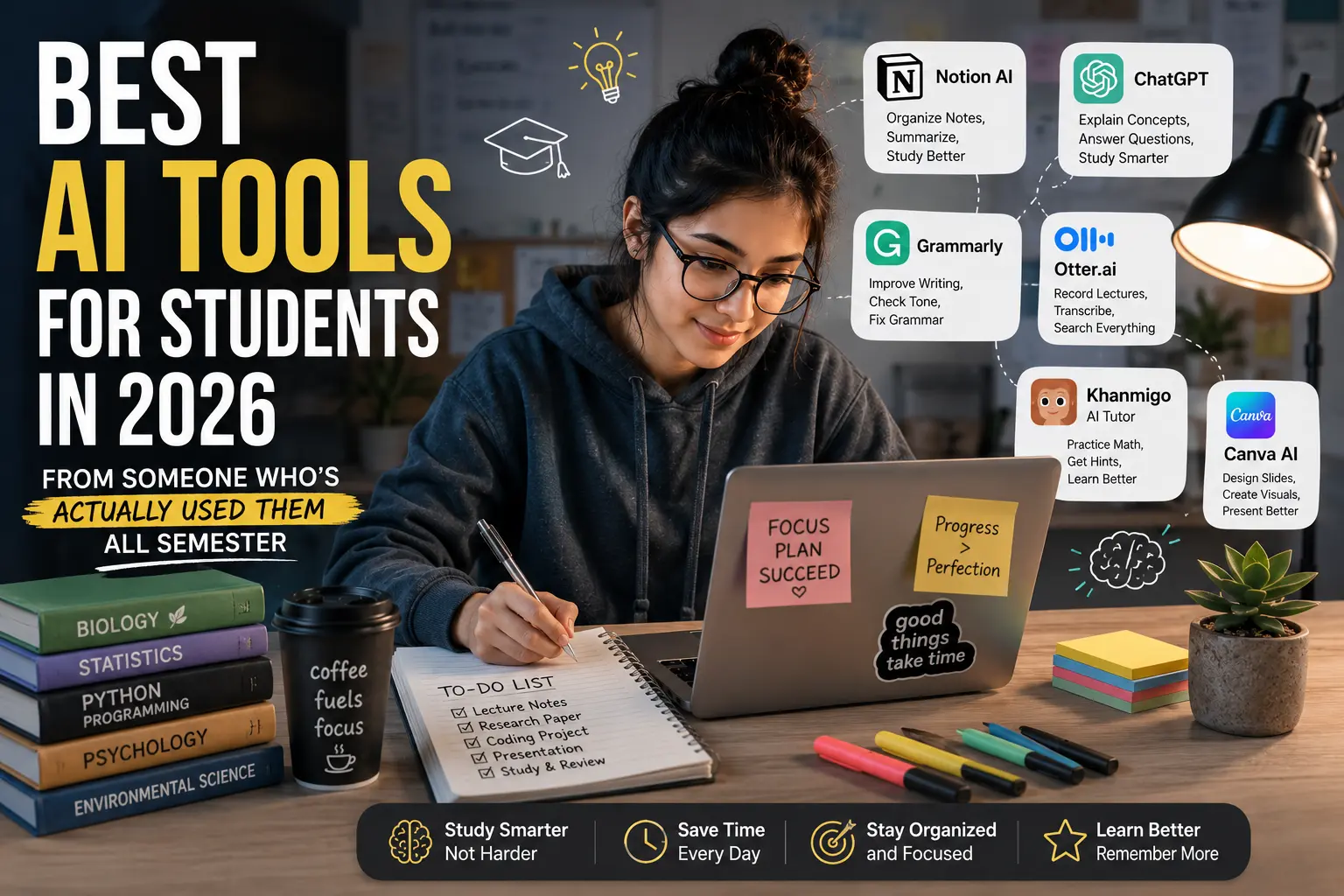

Last semester I had three assignments due in the same week — a research paper, a coding project, and a presentation for a class I barely understood. I was running on coffee and panic, and a friend casually said, “Why are you doing all this manually? Just use AI.”
I’d heard that a hundred times before and mostly ignored it because I assumed it meant “let ChatGPT write your essay and hope nobody notices.” Turns out that’s not really how it works anymore — or at least, that’s not the useful way to use these tools.
After months of testing different apps (some great, some genuinely useless), here’s what actually helped me get through school without losing my mind — and without getting flagged for academic dishonesty either.
Why I Was Skeptical at First
My first attempt at using AI for school was… rough. I asked ChatGPT to “write my essay on climate change policy” and submitted basically what it gave me. My professor didn’t accuse me of cheating, but she did say the essay “didn’t sound like me” and the arguments felt generic and shallow.
That was my wake-up call. AI tools aren’t magic essay machines. They’re more like a really smart study partner — useful if you know how to work with them, useless (or risky) if you just copy-paste.
So here’s what I actually changed, and the tools that made a real difference.
1. Notion AI – For Organizing My Chaotic Brain
I’m not exaggerating when I say my notes used to be scattered across five different apps, random sticky notes, and screenshots I never looked at again.
Notion AI changed that. I started keeping all my class notes in one Notion workspace, and the AI feature helps me:
- Summarize long lecture notes into bullet points
- Turn messy notes into study guides
- Generate quiz questions from my own notes (this one’s huge before exams)
Real example: Before my biology midterm, I pasted in about 12 pages of lecture notes and asked Notion AI to create a 20-question practice quiz. It wasn’t perfect — a couple questions were oddly worded — but it caught topics I’d completely forgotten studying, which honestly saved me.
2. Grammarly (with the AI features) – For Polishing, Not Replacing
Everyone knows Grammarly for catching typos, but the newer AI writing suggestions are where it gets interesting for students.
I use it to:
- Check tone (so my emails to professors don’t sound too casual or too stiff)
- Tighten up wordy sentences
- Catch passive voice overuse in essays
Lesson learned the hard way: I once accepted every single suggestion Grammarly gave me on a paper without reading them carefully. The result was technically “correct” but sounded weirdly robotic — like a corporate memo wrote my literature analysis. Now I treat suggestions as options, not orders. Read them, decide if they actually fit your voice, then accept.
3. ChatGPT (or Claude) – For Explaining Things I Don’t Understand
This is the one that genuinely changed how I study. Not for writing my work — for understanding concepts.
Here’s a step-by-step of how I actually use it:
Step 1: I read the textbook chapter first (yes, actually read it).
Step 2: If something doesn’t make sense, I ask the AI to explain it like I’m explaining it to a 10-year-old.
Step 3: I ask follow-up questions until it clicks — “wait, but why does that happen?” type questions.
Step 4: I close the chat and try explaining the concept out loud, in my own words, without looking.
That last step is the most important one. If I can’t explain it without the AI, I don’t actually know it yet.
Real scenario: I was stuck on a statistics concept (confidence intervals — still kind of hate them) for almost two hours using my textbook alone. Ten minutes of back-and-forth with the AI, asking dumb questions without feeling embarrassed, and it finally made sense. That’s the real value — it’s patient in a way that office hours sometimes aren’t.
4. Otter.ai – For Lectures I Can’t Focus During
Some classes are just… hard to stay focused in, especially early morning ones. Otter.ai records and transcribes lectures in real time, and you can go back and search the transcript for specific topics later.
I once missed a huge chunk of a lecture because I was half-asleep (don’t judge me), and being able to search the transcript for “midterm” later literally saved me — my professor had mentioned exam details I’d completely zoned out for.
Quick tip: Always check your school’s policy on recording lectures first. Some professors are fine with it, others aren’t, and it’s better to ask than assume.
5. Khan Academy’s AI Tutor (Khanmigo) – For Math and Science Practice
If you’re in high school or early college and struggling with math, Khanmigo is honestly underrated. It doesn’t just give you answers — it walks through problems step by step and asks you questions along the way, kind of like a tutor who refuses to just hand you the solution.
I used it mainly for calculus review, and what I liked is that it pushes back if you guess randomly. It’ll ask “why do you think that?” instead of just saying “wrong, try again.”
6. Canva’s AI Features – For Presentations That Don’t Look Like 2015
Group presentations used to mean someone (usually me) spending three hours on slide design while everyone else worked on content. Canva’s AI tools — especially the “Magic Design” feature — let you describe what you need and it generates layout options instantly.
I still tweak everything manually afterward, but it cuts the “staring at a blank slide” time down massively.
Common Mistakes I Made (So You Don’t Have To)
Mistake #1: Trusting AI answers blindly.
AI tools can be confidently wrong, especially with very specific facts, dates, or citations. I once got a completely made-up source reference from an AI tool and almost included it in a bibliography. Always double-check facts, especially anything you’re citing.
Mistake #2: Using AI to skip the thinking, not assist it.
There’s a difference between “help me understand this” and “do this for me.” The first builds skills. The second catches up with you eventually — usually during an exam when there’s no AI to help.
Mistake #3: Not checking my school’s AI policy.
Some universities have specific rules about what counts as acceptable AI use versus academic dishonesty. These policies vary a lot, and they’re changing constantly. It took me five minutes to find my school’s policy page, and it saved me from accidentally crossing a line I didn’t know existed.
Mistake #4: Relying on one tool for everything.
Each tool has a strength. Notion AI is great for organizing, ChatGPT/Claude for explanations, Grammarly for polish. Trying to make one tool do everything usually means it does nothing particularly well.
How I’d Suggest Getting Started (If You’re New to This)
- Pick one problem area first — don’t try to overhaul your whole study system at once. Maybe it’s just “I need help understanding lectures” or “my notes are a mess.”
- Try the free versions before paying for anything. Most of these tools have decent free tiers that are enough for regular student use.
- Use AI as a study partner, not a ghostwriter. Ask it to quiz you, explain things, organize information — not to produce final work you submit as your own.
- Always verify facts and citations. Especially for research papers, treat AI-generated information as a starting point, not a final source.
- Check your school’s specific guidelines. This genuinely matters and takes very little time.
Final Thoughts
Honestly, the biggest shift for me wasn’t finding some magic tool that does my homework — it’s that I stopped seeing AI as either “cheating” or “doing nothing for me” and started seeing it as a flexible study assistant that’s available at 2 AM when no tutor is.
Some semesters are still hard. AI doesn’t fix procrastination (trust me, I’ve tried). But it does make the actual learning part less lonely and a lot less overwhelming, especially when you’re stuck on something at an hour when literally no one else is awake to help.
If you’re a student trying these out for the first time, start small, stay curious, and don’t be afraid to ask the “obvious” questions — that’s honestly where most of the value is.

1 thought on “Best AI Tools for Students in 2026 (From Someone Who’s Actually Used Them All Semester)”